Aller au contenu
View in the app

A better way to browse. Learn more.

Forum Avex

A full-screen app on your home screen with push notifications, badges and more.

To install this app on iOS and iPadOS
  1. Tap the Share icon in Safari
  2. Scroll the menu and tap Add to Home Screen.
  3. Tap Add in the top-right corner.
To install this app on Android
  1. Tap the 3-dot menu (⋮) in the top-right corner of the browser.
  2. Tap Add to Home screen or Install app.
  3. Confirm by tapping Install.

Classement

Contenu populaire

Affichage du contenu avec la meilleure réputation le 26/05/2024 dans toutes les zones

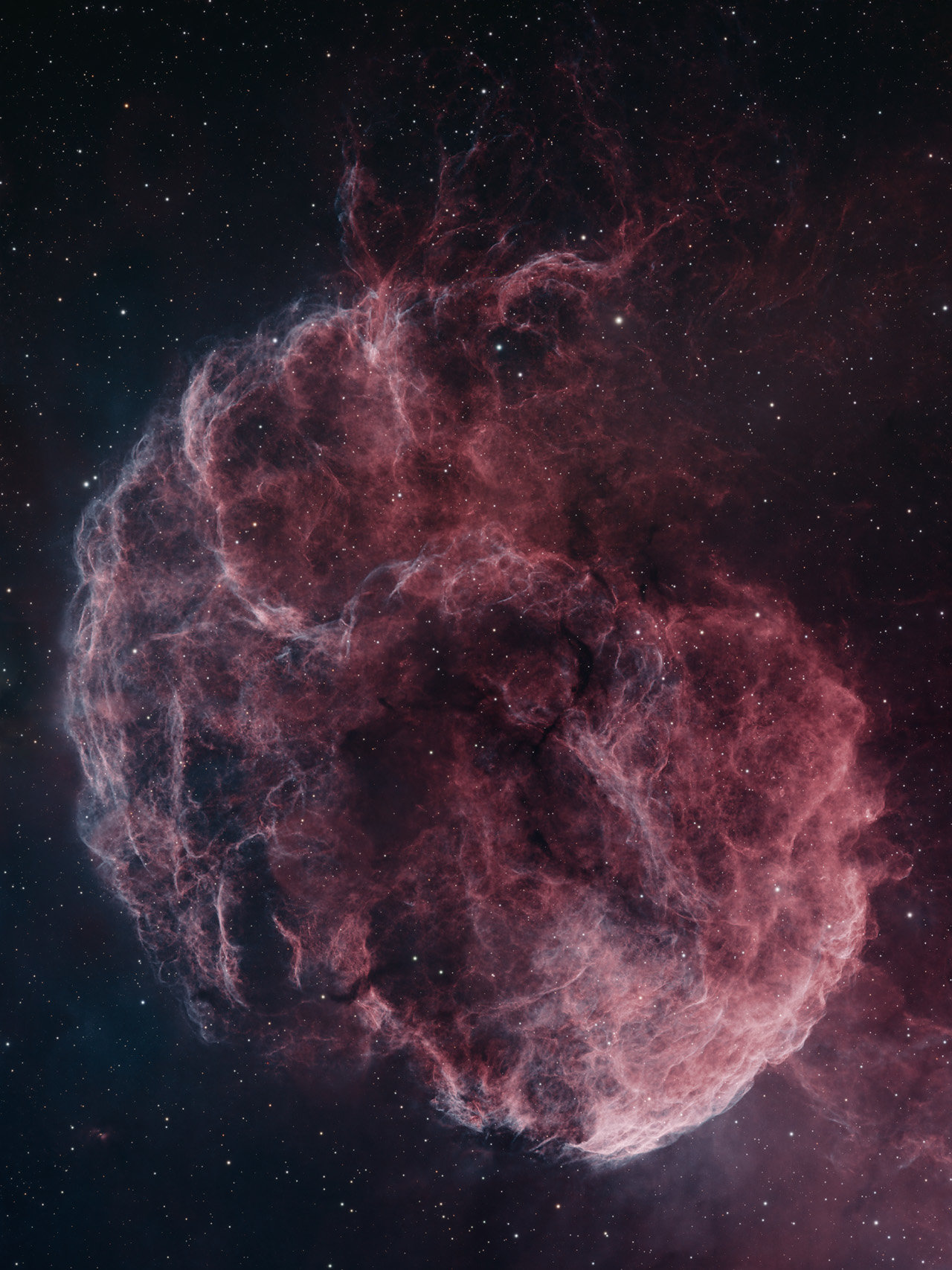
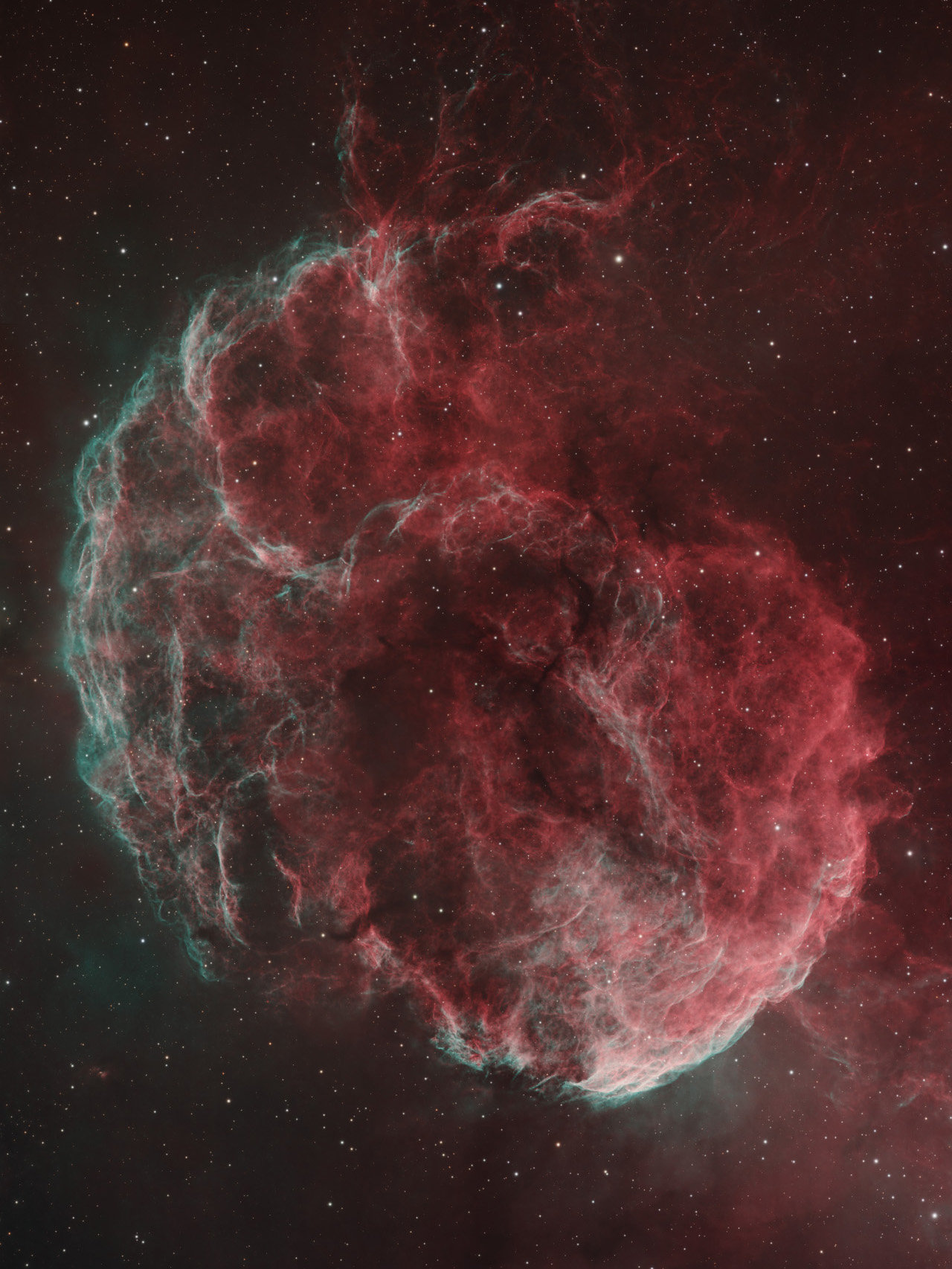
  1. Coucou les Avexiens Nouvelle image, issue de données Fin 2023-Début 2024 ! Je l'aime bien, je voulais la tenter avec plus de résolution que mon setup 150/600 habituel Armé de patience, acquisition de Nov 2023 à Février 2024, sur mon setup RemoTeam (Asi 6200MM sur C11HD sur GM1000, posé chez EEye) LA version pour Avex: Edit: J'ajoute cette version aux couleurs plus softs : La full sur Astrobin : https://www.astrobin.com/uguda5/ Les échanges "mainsteam" sur Astrosurf : http://www.astrosurf.com/topic/168897-ic-443-la-méduse-en-92h-pour-une-mosaïque-hires/
Ce classement est défini par rapport à Paris/GMT+01:00

Information importante

Conditions générales

Configure browser push notifications

Chrome (Android)
  1. Tap the lock icon next to the address bar.
  2. Tap Permissions → Notifications.
  3. Adjust your preference.
Chrome (Desktop)
  1. Click the padlock icon in the address bar.
  2. Select Site settings.
  3. Find Notifications and adjust your preference.